
HD vs. 4K Video Production: Which Should You Choose?
For most business video projects, recording resolution and delivery resolution do not have to be the same. A production can be recorded in 4K for more flexibility during editing and still be delivered in 1080p when that format fits the final use. The right choice depends on where the video will be shown, how much reframing may be needed, file-size requirements, and whether a 4K master is required.
This guide explains how HD and 4K affect the video production process from capture through delivery.
What Is the Difference Between HD and 4K?
Full HD, commonly called 1080p, uses a 1920×1080 frame. Ultra HD, commonly called 4K, uses a 3840×2160 frame. That gives 4K four times as many pixels as 1080p. The extra resolution can preserve more visible detail and gives editors more room to crop or resize footage before a 1080p export.
Resolution describes frame dimensions, but it does not determine overall image quality by itself. Lighting, focus, lens choice, camera settings, compression, and the quality of the source footage also affect the final image.
Does 4K Always Look Better?
4K can show more detail than 1080p, especially on larger 4K displays or when viewers sit close to the screen. The difference may be less noticeable on phones, smaller displays, embedded website players, or when the source has been heavily compressed.

A 4K file also does not automatically look better than a well-produced 1080p file. A sharp, properly exposed 1080p image can look better than poorly focused or highly compressed 4K footage. That is why resolution should be treated as one production decision rather than the sole measure of video quality.
Why Record in 4K if the Final Video Is 1080p?
Recording in 4K can provide useful room for editing even when the final video is delivered in 1080p. Lasting Blueprint Productions typically records projects in 4K and commonly delivers 1080p files when that format fits the client’s final use. The higher-resolution source gives the edit more flexibility without requiring every client to receive larger 4K files.
Reframing and Cropping
- Interview framing: A 4K source can allow a tighter 1080p crop from the same camera angle when the composition needs adjustment.
- Removing unused frame area: Editors can crop distractions near the edge of the frame while maintaining a 1080p output.
- Creating alternate framing: A wider source can sometimes support horizontal, square, or vertical versions without relying on the original full frame.
Stabilization and Digital Punch-Ins
- Stabilization: Some stabilization methods crop the image. Extra source resolution can provide room for that crop.
- Digital punch-ins: Editors can move from a wider view to a tighter crop when the source resolution and shot quality support it.
- Small composition corrections: Minor horizon, position, or framing adjustments can be made with less impact on a 1080p export.
How Resolution Affects Storage and Editing
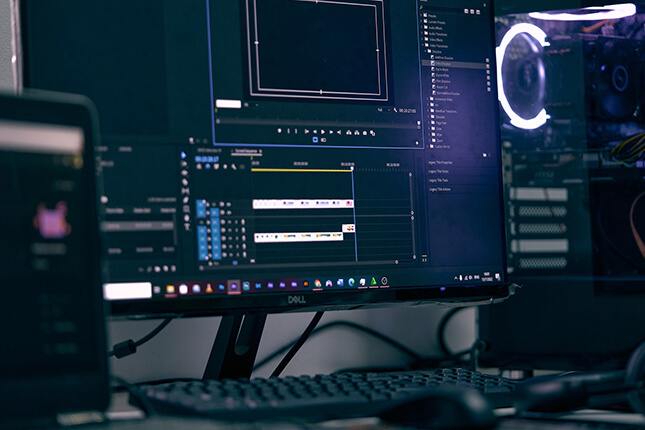
4K footage usually requires more storage, faster media, longer transfers, and more processing than comparable 1080p footage. The actual file size depends on the codec, bitrate, frame rate, recording length, and camera settings, not resolution alone.
These differences matter most during production and post-production. A client who only needs a 1080p delivery may still benefit from a 4K source without having to store or distribute the larger camera files.
When Should the Final Video Be 1080p or 4K?
1080p delivery is often sufficient when the video will be embedded on a website, shared through common business platforms, or used where 4K is not required. It produces smaller files and can simplify uploading, downloading, review, and playback.
4K delivery makes more sense when the client specifically needs a 2160p master, the video will be shown on large 4K displays, the distribution platform calls for 4K, or the project is being archived at the higher resolution.
Before production, confirm both the required delivery resolution and whether a separate 4K master is needed. That avoids treating “shot in 4K” and “delivered in 4K” as the same requirement.
HD or 4K: Which Should You Choose?
Choose the resolution based on the final use of the video, not simply on which number is larger. Recording in 4K can provide more room for reframing and post-production, while 1080p can remain a practical delivery format for many business videos.
When requesting a quote, specify where the finished video will be shown and whether you need a 1080p file, a 4K master, or both. Those requirements can then be built into the production and delivery plan from the start.