
Common types of conference videos include full session recordings, short conference clips, highlight or recap videos, testimonial videos, sit-down interviews, promotional videos, welcome videos, and behind-the-scenes videos. Conference b-roll is also captured as source footage for many of those finished videos.
The right mix depends on what needs to be documented during the conference and how the footage will be used afterward. Before production, plan the conference video deliverables so the filming schedule matches the recordings, highlights, interviews, clips, or other files required later.
An Orlando conference videographer may cover a single room or a defined part of the event, while broader conference video production can include multiple rooms, interviews, b-roll, and several edited deliverables.
What Video Preserves Beyond Photos, Slides, and Notes
Photos document people, speakers, sponsors, activities, and the conference environment. Slides and transcripts preserve written information. Video preserves the presentation as it happened, including the speaker’s delivery, demonstrations, audience interaction, and the timing between visual and spoken material.
The recording can also become source material for shorter clips, audio extracts, transcripts, screenshots, or future edits without recreating the original presentation.
Conference Session Recordings
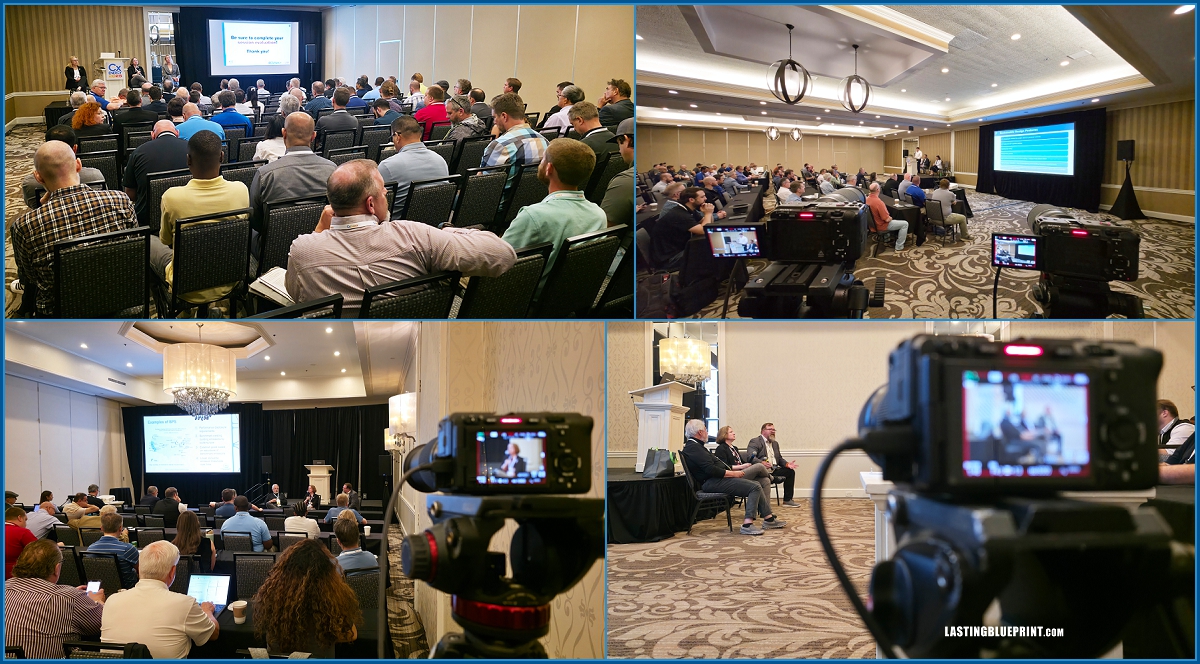
Full-session recordings preserve keynotes, panels, breakout sessions, training presentations, and other conference content so it can be watched after the event. Organizations may publish the recordings publicly, place them in a member or learning portal, or keep them available for attendees and internal teams.
When a conference session is filmed, the finished video can be delivered as the complete presentation. Short speaker or topic clips can also be created from the same recording when the full session is not needed for every use.

Short Conference Clips
Short conference clips are brief edits built from presentation recordings, interviews, testimonials, or event b-roll. A clip may focus on one speaker, one answer, one topic, or one moment rather than summarizing the entire conference.
They are useful when a full session or recap is too long for the intended placement, such as an email, website update, speaker page, social post, or future event promotion.
Conference Highlight and Recap Videos
A conference highlight video, also called a recap video, combines selected moments from sessions, networking, exhibits, receptions, interviews, and other activity into a shorter summary of the event. It can be published after the conference and later reused when promoting registration for the next one.
The example below is a highlight video from a Social Media Conference held at the Walt Disney World Dolphin Resort.

Testimonial Videos
Conference testimonials capture specific responses from attendees, sponsors, speakers, exhibitors, or members while they are already at the event. The strongest responses usually identify what the person experienced, what was useful, or why the conference matters to them instead of relying on broad praise.
Testimonials can be delivered as individual videos or used inside a conference recap, “Why Attend,” “Why Exhibit,” or sponsor-focused video. How interviews are filmed during an event affects the audio, background, pacing, and responses available for the final edit.
Sit-Down Interviews
Sit-down interviews are usually more structured and in-depth than quick testimonials. They can feature organization leadership, subject-matter experts, conference speakers, sponsors, exhibitors, or members discussing a specific topic.
Conferences may be one of the few times each year that leadership, members, speakers, sponsors, exhibitors, and partners are in the same place. Scheduling interviews during the event can reduce the need to coordinate a separate production day later.
The interview may be delivered as a standalone piece or edited into shorter segments for recap pages, speaker content, member communication, training material, or future conference promotion.
Conference Promotional Videos
Footage recorded during the current conference can also be edited into videos for a future event. The exact format should match the audience the organization wants to reach.
Why Attend Videos
A “Why Attend” video combines footage from the event with attendee responses, speaker moments, and other details that show what a future registrant can expect. The goal is to give potential attendees concrete reasons to register for the next conference.
Why Exhibit Videos
A “Why Exhibit” video focuses on the expo or trade-show side of the conference. It can include booth activity, attendee interaction, product demonstrations, exhibitor interviews, and footage showing how the exhibit area is used during the event.
Why Sponsor Videos
A sponsor-focused video can combine sponsor interviews with footage of signage, sponsored sessions, activations, receptions, or other placements that were actually part of the conference. This gives future sponsors a clearer picture of available opportunities.
Why Speak Videos
A “Why Speak” video can use presentation footage, audience interaction, and interviews with previous speakers to show what the speaking experience is like and support future speaker recruitment.
Join Us Videos
A “Join Us” video is a concise registration-focused piece for the next conference. It can reuse highlight footage, testimonials, speaker clips, and key event information rather than requiring a separate production day.
Welcome Videos
A conference welcome video is typically shown at the beginning of the event. It may feature leadership remarks, the conference theme, important information, or footage from previous events to introduce what attendees will experience during the program.
Behind-the-Scenes Conference Videos
Behind-the-scenes videos show parts of the conference that attendees do not normally see, such as room setup, speakers preparing, exhibitors building booths, camera setups, or a time-lapse of the venue taking shape. This is usually supplemental content rather than a primary conference deliverable.
Conference B-Roll and Atmosphere Footage
B-roll is supporting footage rather than a finished conference video by itself. It may include registration, room setups, audience reactions, networking, exhibitors, sponsor signage, demonstrations, receptions, and general venue activity.
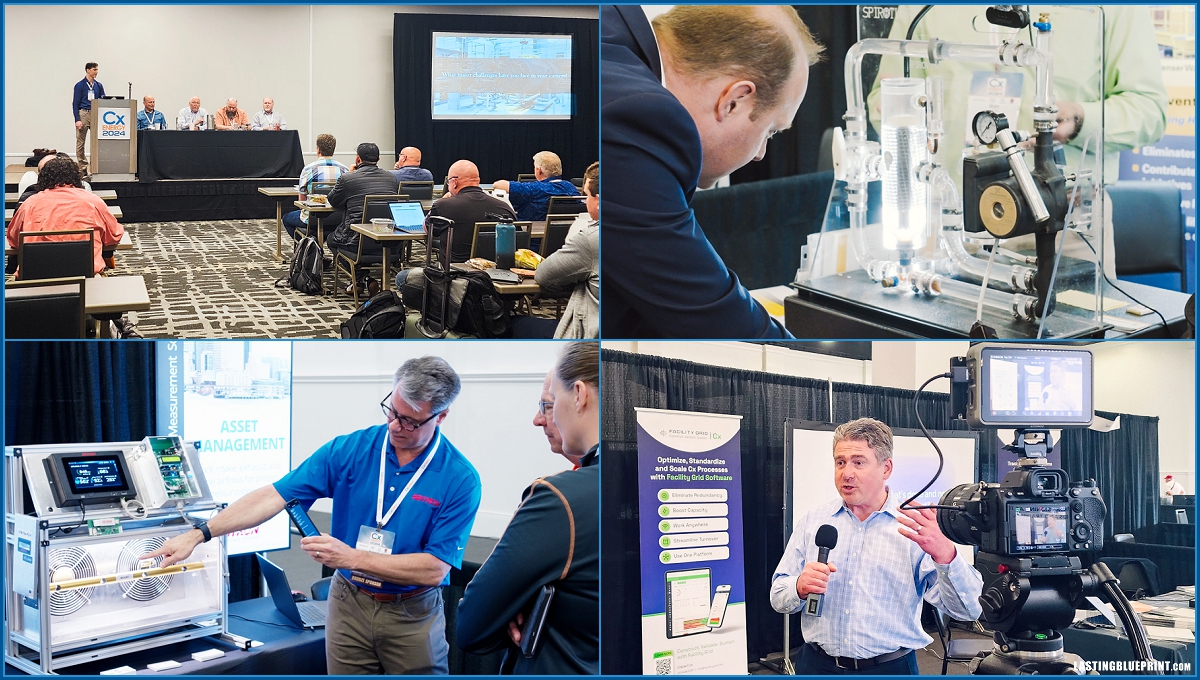
This footage gives editors the visual material needed to build highlight videos, short conference clips, sponsor or exhibitor pieces, welcome videos, and future promotional videos. It can also be combined with testimonials or presentation excerpts to show what was happening around the conference while the speaker or interview audio continues.
Choosing the Right Conference Video Deliverables
Not every conference needs every video type. If the priority is education or documentation, full session recordings may matter most. If the goal is a concise post-event summary, a highlight video may be enough. Organizations planning future registration, sponsorship, or exhibitor outreach can combine b-roll, testimonials, interviews, and short clips into targeted promotional videos.
Conference footage can continue supporting the organization after the event. Full presentations or shorter excerpts can be used in emails, member updates, websites, social posts, speaker promotion, or registration campaigns.
The coverage plan should be decided before filming so the necessary rooms, speakers, interviews, sponsor placements, and event activity are captured. For a broader breakdown of planning, filming, and delivery, see What Is Included in Event Video Production Services.