
Conference sessions are typically filmed with one or more cameras positioned for a clear view of the speaker, audio recorded from the room sound system with a backup source, and a plan for handling slides or presentation content. Because the session happens in real time, camera placement, audio, power, and room logistics are confirmed before recording begins.
In conference video production, the exact setup depends on whether the client needs a full session recording, edited presentation video, short clips, or supporting footage for a conference recap.
Camera Setup for Conference Session Recording
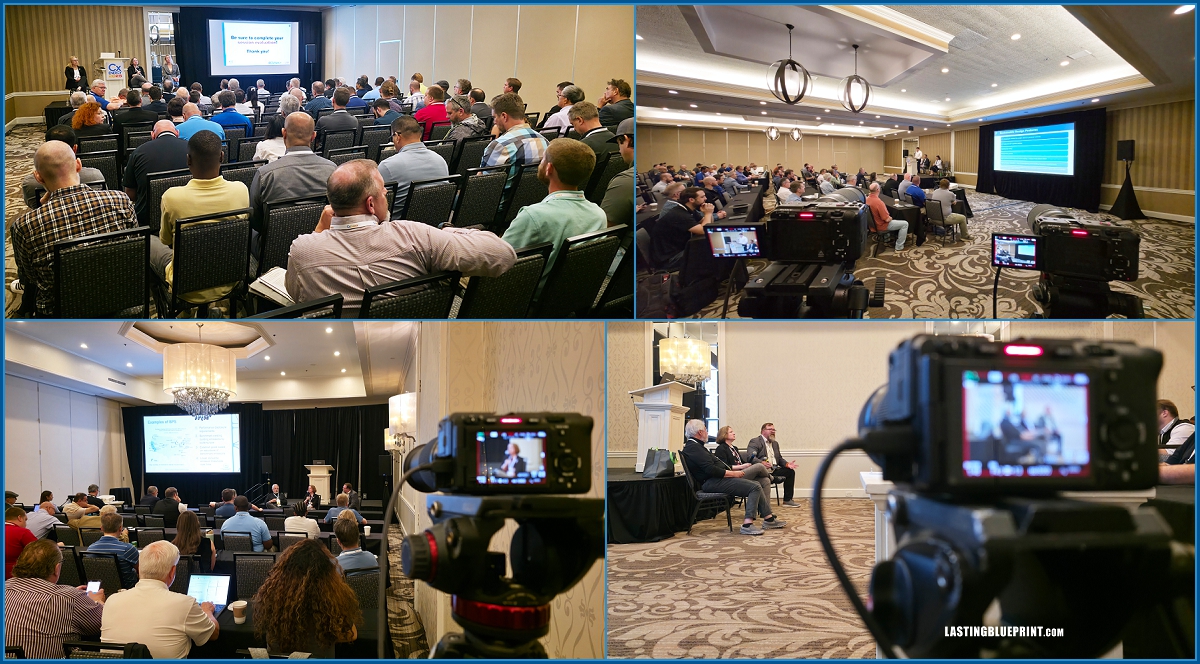
Conference sessions are often filmed with two stationary cameras when the scope allows. One camera is normally framed on the speaker, while the second camera provides another useful view based on how the presentation is delivered.
When a Second Camera Is Used
If the speaker stays at a podium and uses slides, the second camera may record the presentation screen or provide a wider stage view. If the speaker moves around the stage, a wider second angle can protect the recording when the tighter camera needs to reframe.
Two cameras also provide more flexibility during editing because the editor can switch angles instead of showing every pan or correction from one camera.
A single camera can still work for basic session coverage. If slides will be inserted later and the screen or presentation feed was not recorded, the editor may need to rely on the speaker’s timing and the original slide deck to place changes correctly, which can add video editing time.
Additional Coverage During Conference Sessions
While the main session cameras remain focused on continuous coverage, another camera may be used to capture audience reactions, alternate angles, room activity, signage, and other B-roll.
This footage is generally intended for highlight videos, promotional edits, or recap content rather than the uninterrupted session recording itself. See types of conference videos and how they are used for the different deliverables that can come from the same event.
How Conference Session Audio Is Recorded
For presentation recordings, the preferred audio source is usually a feed from the room sound system when one is available. A camera or separate recorder can be connected to an appropriate output from the AV system, with the connection and signal level confirmed before the session.
A second source should be recorded when practical. Depending on the room, that may be a microphone near the podium, a separate recorder near a PA speaker, or another feed provided by the AV team. A wireless microphone may also be used when the production controls that part of the setup and it does not interfere with the venue system.
Audio requirements are best discussed with the event or venue AV team before filming, especially when several rooms or different sound systems are involved.
How Slides and Presentation Content Are Handled
If slides will appear in the finished session video, ask the client or AV team whether the original presentation deck or a direct presentation feed will be available.
When the slide deck will be added during editing, recording the presentation screen can still provide a useful reference for when each slide changes. That reference helps synchronize the original slides with the speaker.
When clean slide files or a direct feed are available, they are generally preferable to using a camera recording of the projection screen as the final presentation image.
Camera Placement and Setup in Real Conference Rooms
Camera placement depends on the room layout, seating, sightlines, stage position, and available space. Smaller breakout rooms may allow a camera along the side or toward the middle or back of the room, while large ballrooms often require cameras farther from the stage and may benefit from a shooting riser.
Power, attendee traffic, AV equipment, emergency exits, and cable runs can all limit where cameras can safely be placed. Stage lighting may also change once the session starts, so exposure sometimes needs to be adjusted after the room goes into presentation mode.
If multiple rooms have sessions that must be recorded at the same time, each simultaneous room needs its own coverage plan. A single operator cannot continuously record two separate rooms at once.
The setup can be planned in advance, but final camera and audio adjustments are often made after seeing the actual room and AV configuration at the venue.
What Clients Receive From Conference Session Filming
Conference session recordings are commonly delivered as full-length videos of individual presentations, panels, or breakout sessions.
Depending on the project, the final deliverables may also include edited slides, speaker titles, captions, shorter clips, raw footage, testimonials, or a broader conference highlight video.
Those deliverables should be confirmed before production because they affect the camera plan, audio setup, staffing, and editing workflow. Our guide to planning conference video deliverables before filming explains how different final files change what must be captured during the event. Deliverables are also important considerations when choosing a conference videographer.
For a real project example, see our CxEnergy conference recap, which included multi-room session coverage, soundboard audio, podium backup, edited presentations with slides, interviews, and a promotional video.
Planning Conference Session Filming
Conference session filming works best when the room schedule, camera positions, audio sources, presentation content, and final deliverables are known before recording begins. Once a live session starts, missed remarks or unusable audio cannot simply be recreated afterward.
If your event needs one operator for a defined room and schedule, see our conference videographer in Orlando service. Projects with overlapping rooms or broader production requirements may need a multi-operator conference video production setup.